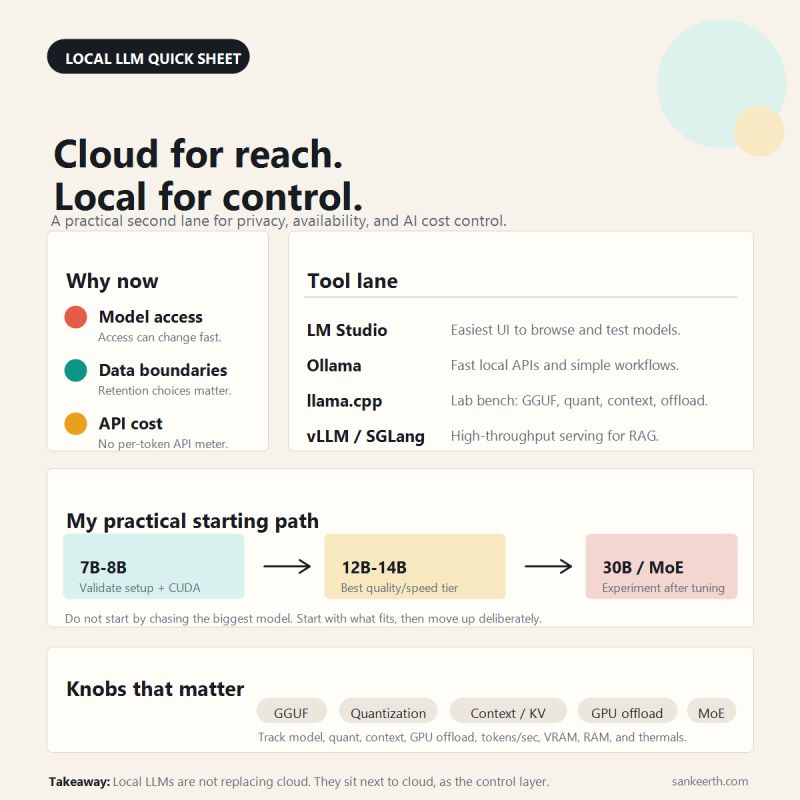
Cloud for reach. Local for control.
Local LLMs matter more now than they did a few months ago.
Not because cloud models stopped being useful. They’re still great.
But a few things are hard to ignore:
Access can change. Policies can change. Costs can grow faster than you expect.
That’s why I’ve been testing more local models on my own machine.
A few things I’ve learned:
Local AI is not just a hobby setup anymore.
LM Studio has been the easiest way for me to browse, test, and compare models.
Ollama has been great when I want a simple local API and quick developer workflows.
llama.cpp is where I started learning the mechanics: GGUF, quantization, context size, GPU offload, and how VRAM and RAM limits actually behave.
For serving or RAG-style workloads, vLLM and SGLang are the next lane once the basic setup is stable.
On a 16GB RTX 5070 Ti class setup, my practical path hasn’t been “run the biggest model possible.”
It’s been:
- start with 7B–8B models to validate setup and CUDA,
- move into 12B–14B for a better quality/speed tier,
- then experiment with 30B-class or MoE-style models after I understand the knobs.
Quantization has been the biggest unlock. Plain version: it’s how you compress a model so it uses less memory and becomes realistic to run locally, with a tradeoff between quality, speed, and footprint.
For sensitive work, private code, internal docs, regulated workflows, offline or air-gapped setups, that control layer matters even more.
I don’t see this as cloud vs local.
Cloud is still the best lane for reach and frontier capability. Local gives you a fallback, a lab bench, and a cleaner control layer beside it.
Cloud for reach. Local for control.
What are you running locally right now — LM Studio, Ollama, llama.cpp, vLLM/SGLang, or something else?
